

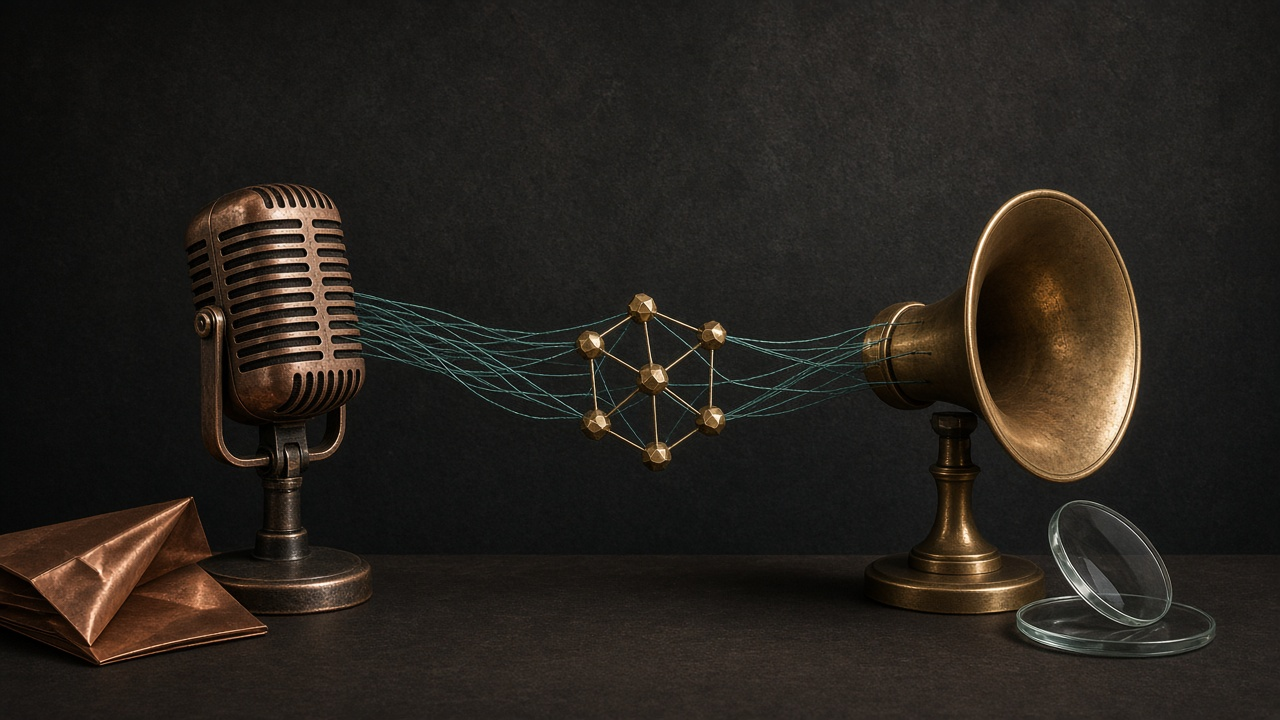
How to Build a Voice Agent with Python, FastAPI, Mistral AI, LangGraph, and Deepgram
Outcome
By the end of this tutorial you will have a local voice agent you can talk to from the browser. FastAPI owns each spoken turn. Deepgram transcribes the recording and synthesizes the reply. A LangGraph StateGraph, backed by Mistral AI, calls tools and keeps conversation state across turns.
You will test each layer on its own first: Mistral, Deepgram Listen, Deepgram Speak, then the graph with plain text. Only after those pass do you add the microphone. That order is what makes the loop debuggable.
The pipeline is:
browser mic -> FastAPI /voice
  -> Deepgram Listen (speech to text)
  -> LangGraph + Mistral AI (reason + tools)
  -> Deepgram Speak (text to speech)
  -> browser speaker
Prerequisites
- Python 3.10 or later, with
pip - A Mistral API key from the Mistral AI console
- A Deepgram API key from the Deepgram console
- Comfort with FastAPI,
async/await, and environment variables - A browser on
localhost(the recorder usesgetUserMedia)
This walkthrough uses ChatMistralAI from langchain-mistralai, LangGraph’s Graph API (StateGraph, ToolNode, tools_condition, InMemorySaver), and the Deepgram Python SDK for Listen and Speak.
Step 1: Scaffold the project
Create an isolated folder so the demo does not mix with other Python work.
mkdir voice-agent && cd voice-agent
python -m venv .venv
source .venv/bin/activate
pip install fastapi "uvicorn[standard]" python-multipart python-dotenv \
  deepgram-sdk langchain-mistralai langgraph langchain-core
python-multipart is required for UploadFile. Without it, FastAPI rejects the audio field.
Create .env and keep both keys out of source control:
cat > .env << 'EOF'
MISTRAL_API_KEY=your-mistral-key
DEEPGRAM_API_KEY=your-deepgram-key
EOF
Use this layout:
voice-agent/
  .env
  smoke_mistral.py
  smoke_deepgram.py
  smoke_graph.py
  app/
    __init__.py
    speech.py
    agent.py
    main.py
  static/
    index.html
Leave app/__init__.py empty.
Step 2: Smoke-test Mistral AI
Before you draw a graph, confirm the model answers a plain chat call. Create smoke_mistral.py:
from dotenv import load_dotenv
from langchain_mistralai import ChatMistralAI
from langchain_core.messages import HumanMessage, SystemMessage

load_dotenv()

model = ChatMistralAI(
    model="mistral-large-latest",
    temperature=0,
    max_retries=2,
)
response = model.invoke([
    SystemMessage(content="Reply in one short sentence."),
    HumanMessage(content="Confirm you are ready to run a voice agent."),
])
print(response.content)
Run it:
python smoke_mistral.py
You should see a single sentence back from Mistral. If this fails, stop. The graph will not hide a bad key, a wrong model name, or a network block.
mistral-large-latest supports tool calling, which the agent needs later. mistral-medium-latest and mistral-small-latest also support it. Pick Large for this demo; it is the most reliable of those three when the model must choose a tool.
Step 3: Smoke-test Deepgram Listen and Speak
Create app/speech.py with one shared client and two helpers. Access the transcript through the documented typed fields, not a JSON dump.
import os
from functools import lru_cache

from deepgram import DeepgramClient
from deepgram.core.api_error import ApiError

STT_MODEL = "nova-3"
TTS_MODEL = "aura-2-thalia-en"


@lru_cache(maxsize=1)
def get_deepgram() -> DeepgramClient:
    api_key = os.getenv("DEEPGRAM_API_KEY")
    if not api_key:
        raise RuntimeError("DEEPGRAM_API_KEY is missing")
    return DeepgramClient(api_key=api_key)


def transcribe(audio_bytes: bytes) -> str:
    try:
        response = get_deepgram().listen.v1.media.transcribe_file(
            request=audio_bytes,
            model=STT_MODEL,
            language="en",
            smart_format=True,
        )
        text = response.results.channels[0].alternatives[0].transcript or ""
    except (ApiError, AttributeError, IndexError, TypeError) as exc:
        raise ValueError("Deepgram returned no transcript") from exc
    text = text.strip()
    if not text:
        raise ValueError("Deepgram returned an empty transcript")
    return text


def transcribe_url(url: str) -> str:
    response = get_deepgram().listen.v1.media.transcribe_url(
        url=url,
        model=STT_MODEL,
        language="en",
        smart_format=True,
    )
    text = response.results.channels[0].alternatives[0].transcript or ""
    return text.strip()


def synthesize(text: str) -> bytes:
    if not text.strip():
        raise ValueError("Cannot synthesize empty text")
    response = get_deepgram().speak.v1.audio.generate(
        text=text,
        model=TTS_MODEL,
    )
    audio = bytearray()
    for chunk in response:
        audio.extend(chunk)
    return bytes(audio)
nova-3 is Deepgram’s current general transcription model. smart_format=True adds punctuation, which Mistral reads more reliably than a raw word stream. aura-2-thalia-en returns MP3 by default on the REST Speak endpoint. Aura-2 accepts at most 2000 characters per request, which is why the agent prompt later forces short spoken replies.
Create smoke_deepgram.py:
from dotenv import load_dotenv

load_dotenv()

from app.speech import synthesize, transcribe_url

print(transcribe_url("https://dpgr.am/bueller.wav"))
audio = synthesize("The voice agent is ready.")
with open("smoke_speak.mp3", "wb") as handle:
    handle.write(audio)
print(f"Wrote smoke_speak.mp3 ({len(audio)} bytes)")
Run it:
python smoke_deepgram.py
You should see a transcript of the public sample (the Ferris Bueller line about life moving pretty fast) and a playable smoke_speak.mp3. If Listen fails, the key or the URL is wrong. If Speak fails, fix that before you add FastAPI.
Step 4: Build the LangGraph agent with Mistral AI
The thinking layer is a small shop assistant. Two tools are enough to prove the loop: opening hours, and a fake order lookup.
Create app/agent.py:
from langchain_core.messages import HumanMessage, SystemMessage
from langchain_core.tools import tool
from langchain_mistralai import ChatMistralAI
from langgraph.checkpoint.memory import InMemorySaver
from langgraph.graph import END, START, MessagesState, StateGraph
from langgraph.prebuilt import ToolNode, tools_condition

SYSTEM_PROMPT = (
    "You are a spoken voice agent for Northwind Goods. "
    "Keep every reply under 40 words. Use short sentences. "
    "Call tools for hours or orders. Never read JSON, IDs, "
    "or tool names out loud."
)

HOURS = {
    "monday": "9am to 6pm",
    "tuesday": "9am to 6pm",
    "wednesday": "9am to 6pm",
    "thursday": "9am to 6pm",
    "friday": "9am to 6pm",
    "saturday": "10am to 2pm",
    "sunday": "closed",
}

ORDERS = {
    "ORD-1001": "Shipped yesterday. Delivery is expected on Friday.",
    "ORD-2044": "Still in packing. It should leave the warehouse tomorrow.",
}


@tool
def get_store_hours(day: str) -> str:
    """Return opening hours for one weekday, such as saturday."""
    key = day.strip().lower()
    return HOURS.get(key, "I only know Monday through Sunday.")


@tool
def get_order_status(order_id: str) -> str:
    """Return shipping status for an order id such as ORD-1001."""
    return ORDERS.get(order_id.strip().upper(), "No order found with that id.")


tools = [get_store_hours, get_order_status]

model = ChatMistralAI(
    model="mistral-large-latest",
    temperature=0,
    max_retries=2,
)
model_with_tools = model.bind_tools(tools)


def call_model(state: MessagesState) -> dict:
    response = model_with_tools.invoke(
        [SystemMessage(content=SYSTEM_PROMPT), *state["messages"]]
    )
    return {"messages": [response]}


builder = StateGraph(MessagesState)
builder.add_node("agent", call_model)
builder.add_node("tools", ToolNode(tools))
builder.add_edge(START, "agent")
builder.add_conditional_edges(
    "agent",
    tools_condition,
    {"tools": "tools", "__end__": END},
)
builder.add_edge("tools", "agent")

graph = builder.compile(checkpointer=InMemorySaver())


def last_text(result: dict) -> str:
    content = result["messages"][-1].content
    if isinstance(content, str):
        return content.strip()
    return str(content)


def run_turn(transcript: str, thread_id: str) -> str:
    result = graph.invoke(
        {"messages": [HumanMessage(content=transcript)]},
        {"configurable": {"thread_id": thread_id}},
    )
    return last_text(result)
Read the graph once. MessagesState already appends messages with a reducer. bind_tools tells Mistral which functions exist. call_model prepends the system prompt without storing it in state, so it does not duplicate every turn. tools_condition routes to the node named tools when the last AI message contains tool_calls, otherwise to END. After tools run, the edge sends the graph back to agent so Mistral can see the observations.
temperature=0 keeps tool choice stable while you debug. InMemorySaver snapshots graph state per thread_id. Older LangGraph releases named this checkpointer MemorySaver. Compile the graph once at import time. Rebuilding it per HTTP request can reset memory if you also recreate the checkpointer.
Print the topology if you want to confirm the edges:
print(graph.get_graph().draw_mermaid())
You should see START -> agent, a branch from agent to tools or END, and tools -> agent.
Create smoke_graph.py and run the graph on text before you add a microphone:
from dotenv import load_dotenv

load_dotenv()

from app.agent import run_turn

print(run_turn("What time do you close on Saturday?", "smoke"))
print(run_turn("Where is order ORD-1001?", "smoke"))
python smoke_graph.py
The first line should mention 2pm. The second should mention Friday delivery. Both should sound like speech, not like a JSON dump. If Mistral invents Sunday hours for Saturday, it skipped get_store_hours. Confirm bind_tools(tools) is on the object you actually invoke.
Step 5: Serve the voice agent with FastAPI
Create app/main.py. Load dotenv before the helpers run. One route owns the full turn.
import asyncio
import base64
from pathlib import Path

from dotenv import load_dotenv
from fastapi import FastAPI, File, Form, HTTPException, UploadFile
from fastapi.responses import FileResponse

load_dotenv()

from app.agent import run_turn
from app.speech import synthesize, transcribe

app = FastAPI(title="Voice agent")
INDEX = Path(__file__).resolve().parent.parent / "static" / "index.html"


@app.get("/")
async def index():
    return FileResponse(INDEX)


@app.get("/health")
async def health():
    return {"status": "ok"}


@app.post("/voice")
async def voice(
    audio: UploadFile = File(...),
    session_id: str = Form("demo"),
):
    audio_bytes = await audio.read()
    if not audio_bytes:
        raise HTTPException(status_code=400, detail="Empty audio upload")

    try:
        transcript = await asyncio.to_thread(transcribe, audio_bytes)
        reply = await asyncio.to_thread(run_turn, transcript, session_id)
        mp3 = await asyncio.to_thread(synthesize, reply)
    except ValueError as exc:
        raise HTTPException(status_code=400, detail=str(exc)) from exc

    return {
        "transcript": transcript,
        "reply": reply,
        "audio_base64": base64.b64encode(mp3).decode("ascii"),
        "session_id": session_id,
    }
The Deepgram and LangGraph calls above are synchronous. asyncio.to_thread keeps them off FastAPI’s event loop so a slow Speak request does not freeze other connections.
The JSON body is deliberate. Returning only audio/mpeg makes debugging painful. The page can print what Deepgram heard, what Mistral said, and still play the MP3.
Step 6: Add a recorder and run two spoken turns
Create static/index.html. Set onstop before you call stop(), otherwise the handler can miss the event and the page hangs.
<!DOCTYPE html>
<html lang="en">
<head>
  <meta charset="utf-8" />
  <title>Voice agent</title>
  <style>
    body { font-family: sans-serif; max-width: 36rem; margin: 2rem auto; }
    button { font-size: 1rem; padding: 0.5rem 1rem; }
    pre { background: #f4f4f4; padding: 1rem; white-space: pre-wrap; }
  </style>
</head>
<body>
  <h1>Voice agent</h1>
  <p>Click talk, speak, then stop. Keep the same session id across turns.</p>
  <p><label>Session <input id="session" value="demo-1" /></label></p>
  <p>
    <button id="start">Talk</button>
    <button id="stop" disabled>Stop</button>
  </p>
  <pre id="log">Ready.</pre>
  <audio id="player" controls></audio>
  <script>
    const logEl = document.getElementById("log");
    const log = (msg) => { logEl.textContent = msg; };
    let recorder, chunks = [];

    document.getElementById("start").onclick = async () => {
      try {
        const stream = await navigator.mediaDevices.getUserMedia({ audio: true });
        chunks = [];
        recorder = new MediaRecorder(stream);
        recorder.ondataavailable = (e) => { if (e.data.size) chunks.push(e.data); };
        recorder.start();
        document.getElementById("start").disabled = true;
        document.getElementById("stop").disabled = false;
        log("Recording…");
      } catch (err) {
        log("Microphone error: " + err.message);
      }
    };

    document.getElementById("stop").onclick = () => {
      if (!recorder || recorder.state === "inactive") return;
      recorder.onstop = async () => {
        recorder.stream.getTracks().forEach((t) => t.stop());
        const blob = new Blob(chunks, { type: recorder.mimeType || "audio/webm" });
        const form = new FormData();
        form.append("audio", blob, "turn.webm");
        form.append("session_id", document.getElementById("session").value);
        log("Thinking…");
        try {
          const res = await fetch("/voice", { method: "POST", body: form });
          const data = await res.json();
          if (!res.ok) { log(data.detail || "Request failed"); return; }
          log("You: " + data.transcript + "\nAgent: " + data.reply);
          const player = document.getElementById("player");
          player.src = "data:audio/mpeg;base64," + data.audio_base64;
          player.play();
        } catch (err) {
          log("Network error: " + err.message);
        } finally {
          document.getElementById("start").disabled = false;
          document.getElementById("stop").disabled = true;
        }
      };
      recorder.stop();
    };
  </script>
</body>
</html>
MediaRecorder usually emits WebM. Deepgram Listen accepts that container from a file upload, so you do not need a WAV encoder in the browser.
Start the API from the project root, with the virtualenv active:
uvicorn app.main:app --reload
Open http://127.0.0.1:8000/health first. You should see {"status":"ok"}. Then open http://127.0.0.1:8000/. Allow the microphone. Keep session id demo-1.
Say: “What time do you close on Saturday?”
You should see a transcript close to that sentence, a reply that mentions 2pm, and audio that plays. The graph should have called get_store_hours.
Then, same session, say: “Where is order ORD-1001?”
The second turn should still know it is Northwind Goods, look up the order, and mention Friday delivery. If you change the session id, that memory is gone. That is how you confirm the checkpointer is doing the work.
You can also skip the browser with a local WAV:
curl -s -F "audio=@question.wav" -F "session_id=demo-1" \
  http://127.0.0.1:8000/voice | python -m json.tool
Pitfalls
Empty transcript. Silence, a muted tab, or a zero-byte blob produces a 400 from transcribe. Check the browser permission prompt and confirm audio_bytes is not empty before you call Deepgram.
Speak rejects the reply. Aura-2 stops at 2000 characters. If you forget the “under 40 words” instruction, a tool dump can blow the limit. Strip the reply to spoken text only. Never send the raw messages list to TTS.
The agent forgets the last turn. InMemorySaver keys state by thread_id. If the form omits session_id, every request is "demo" and strangers share memory. If you generate a new id per click, nobody has memory. Pin one id per browser tab.
The event loop stalls. Calling transcribe, graph.invoke, and synthesize directly inside an async route blocks FastAPI. Keep the asyncio.to_thread wrappers.
Mistral skips tools. If tool_calls stays empty on a question that clearly needs hours or an order, you often forgot bind_tools or you are on a model that does not implement function calling. Use mistral-large-latest and invoke model_with_tools, not the unbound model.
Recap
You now have a working voice agent: Deepgram Listen in, a LangGraph StateGraph plus Mistral AI in the middle, Deepgram Speak out, FastAPI as the turn boundary, and a one-page recorder to exercise it. Each layer has a smoke test, so you can tell which API failed.
A concrete next step is to replace the REST turn with streaming. Deepgram Listen v2 can emit transcripts as the user talks, and Speak can stream audio chunks over a WebSocket. Keep the same LangGraph thread_id. Only the transport around the graph should change.